Pool, spa & outdoor living
Control the yard lights
First, open the Pool Attendant app
The steps below are for the Pool Attendant app, which controls the pool, spa and yard lights. Choose whichever is easiest:
Use the kitchen iPad: Open the Pool Attendant app on the iPad in the kitchen, available for guests to use.
Use your own phone: Follow our download and setup instructions for Pool Attendant, then return to this page.
Already have the app set up? Open it and follow the yard-light steps below.
In the app: control the yard lights
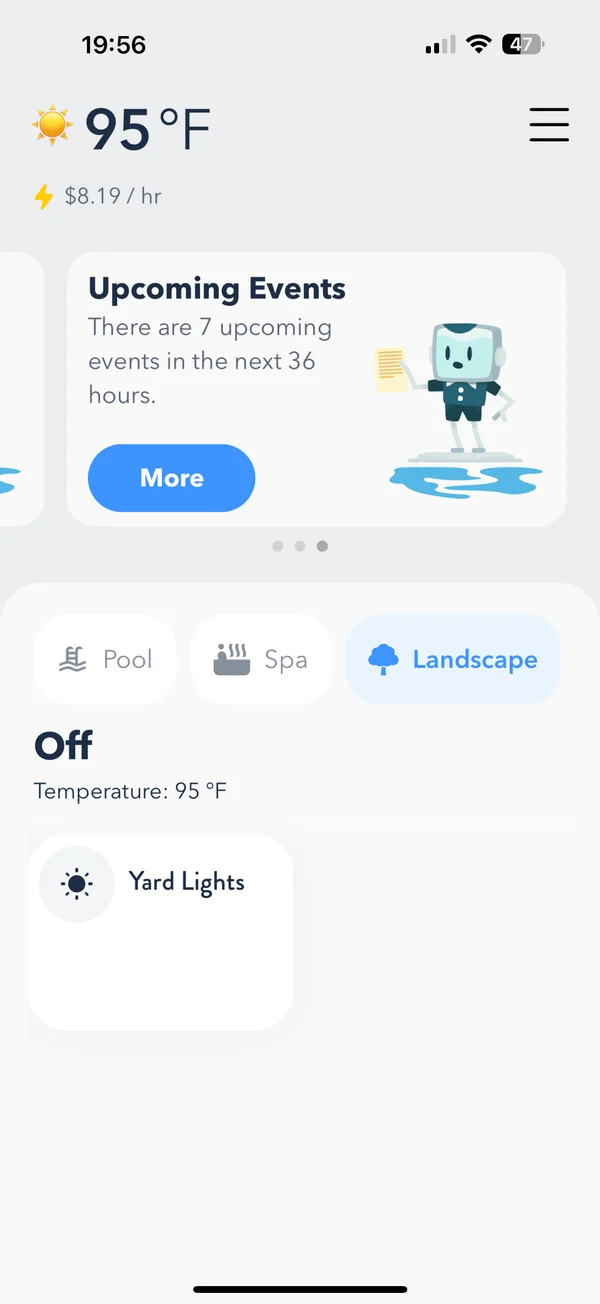
Our landscape lights are on a daily schedule, however to manually turn on/off the front and backyard landscape lights, tap the Landscape button and tap the button to the left of Yard Lights to turn on or off.
Please do not toggle any other settings within the app.